An institutional website has to hold many kinds of information together. For IIHS, shared templates connect introductions, people, schools and projects across an approximately 300-page site, with my contribution focused on visual design and template application.
My role
Website visual design and template application · Zamstars
Collaboration
Team-designed templates, content-team copy, IIHS-supplied maps and photography, developer implementation
Visit website ↗Selected design and current live inner pages · The live homepage differs from my design.
Selected screens / Visual design
A closer look at the work.
Select a screen to explore it at full size.
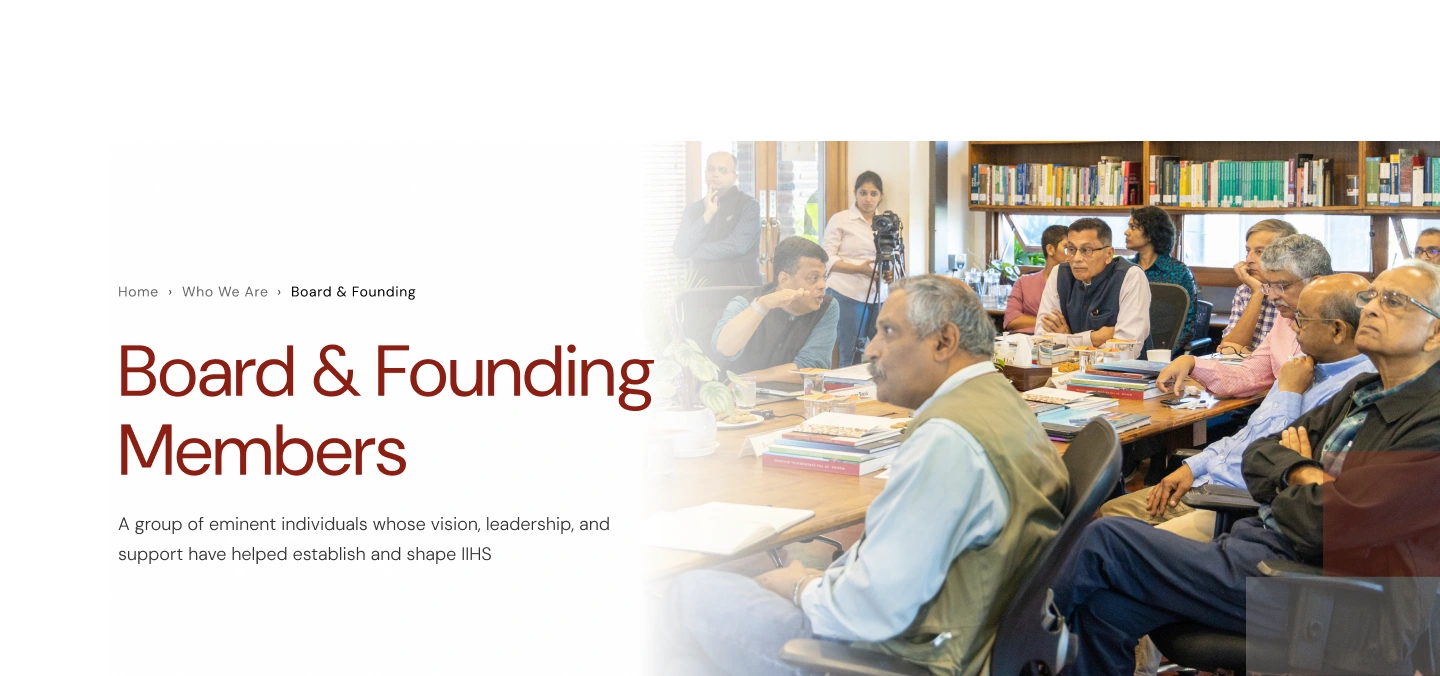
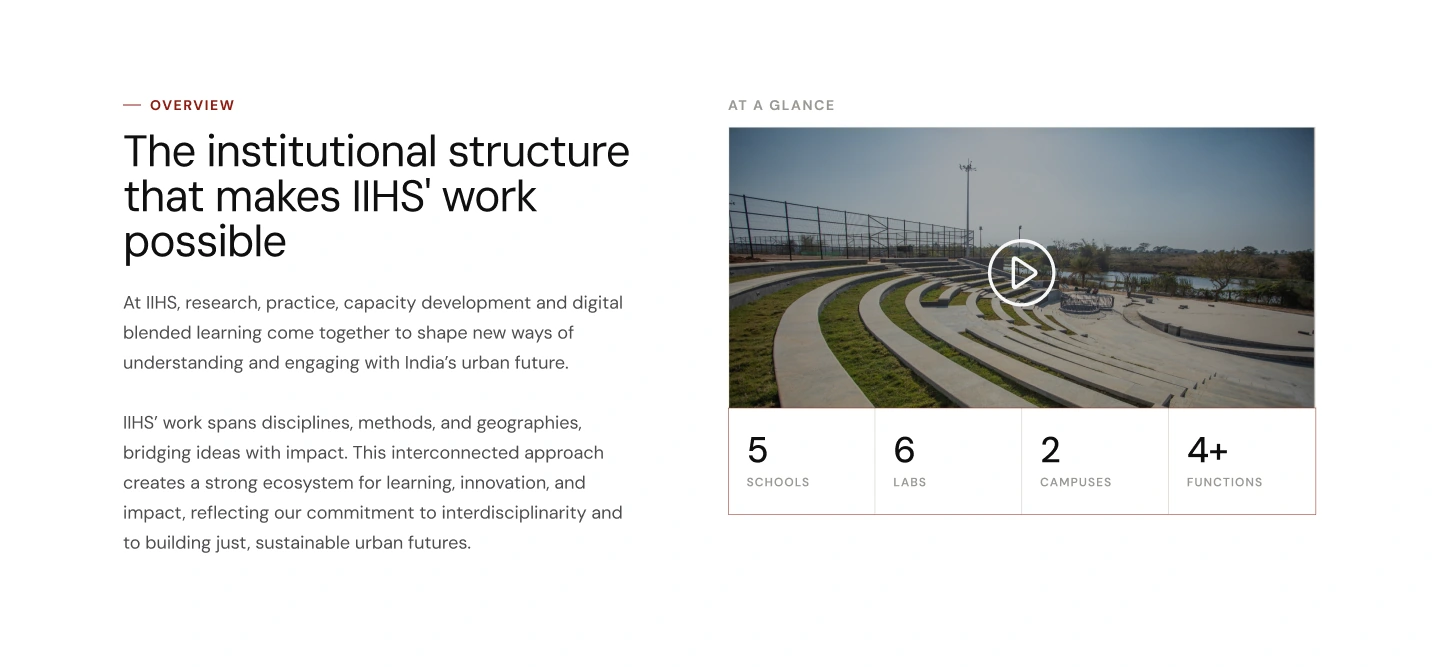
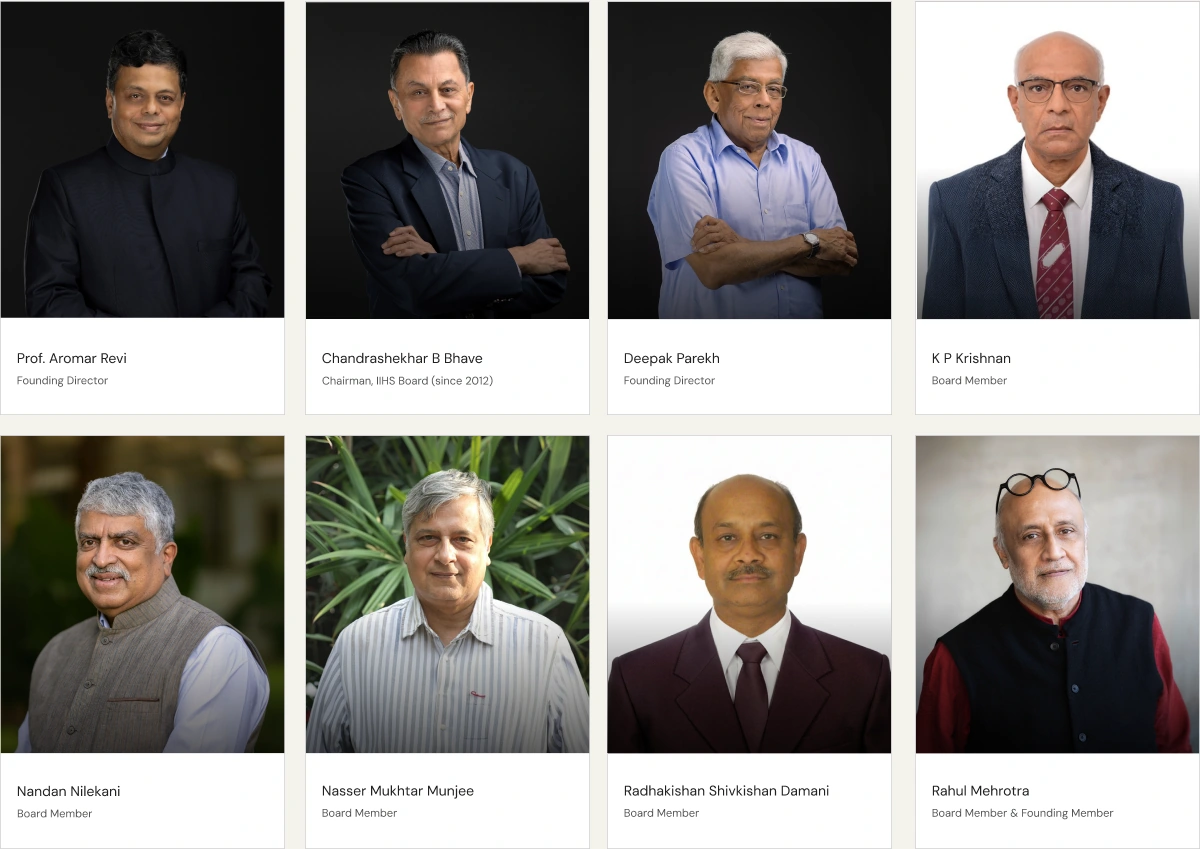
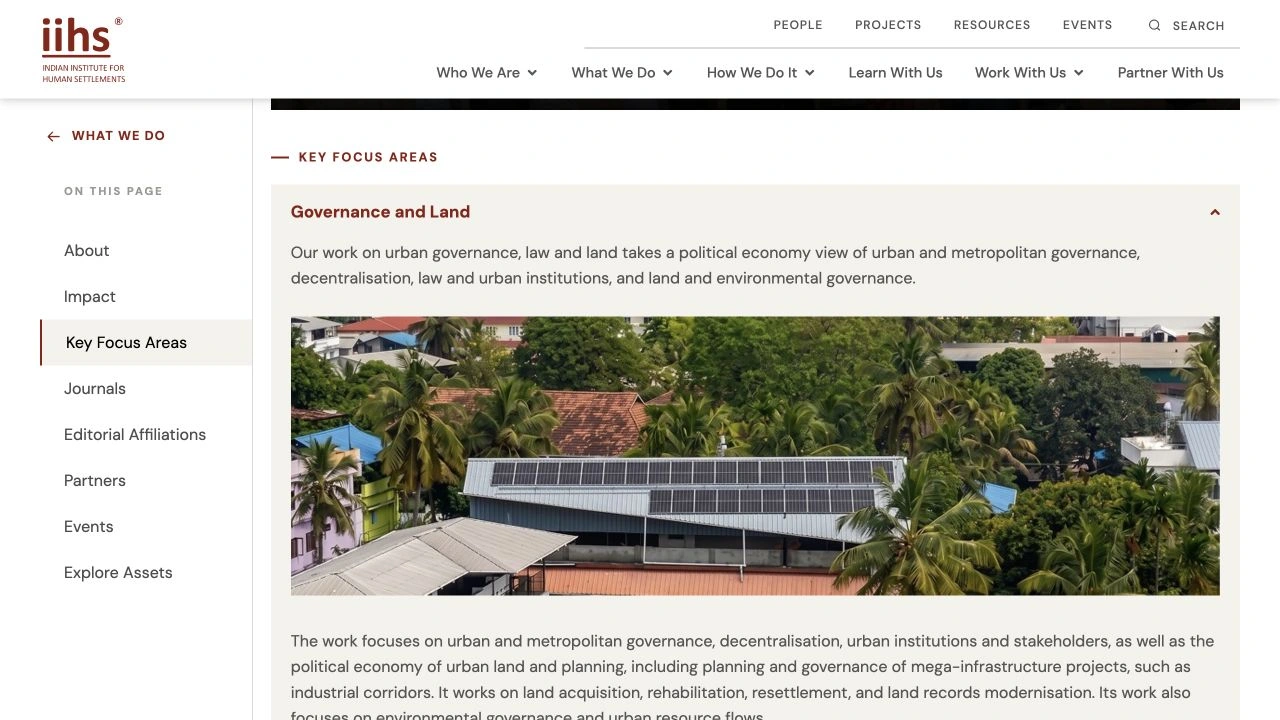
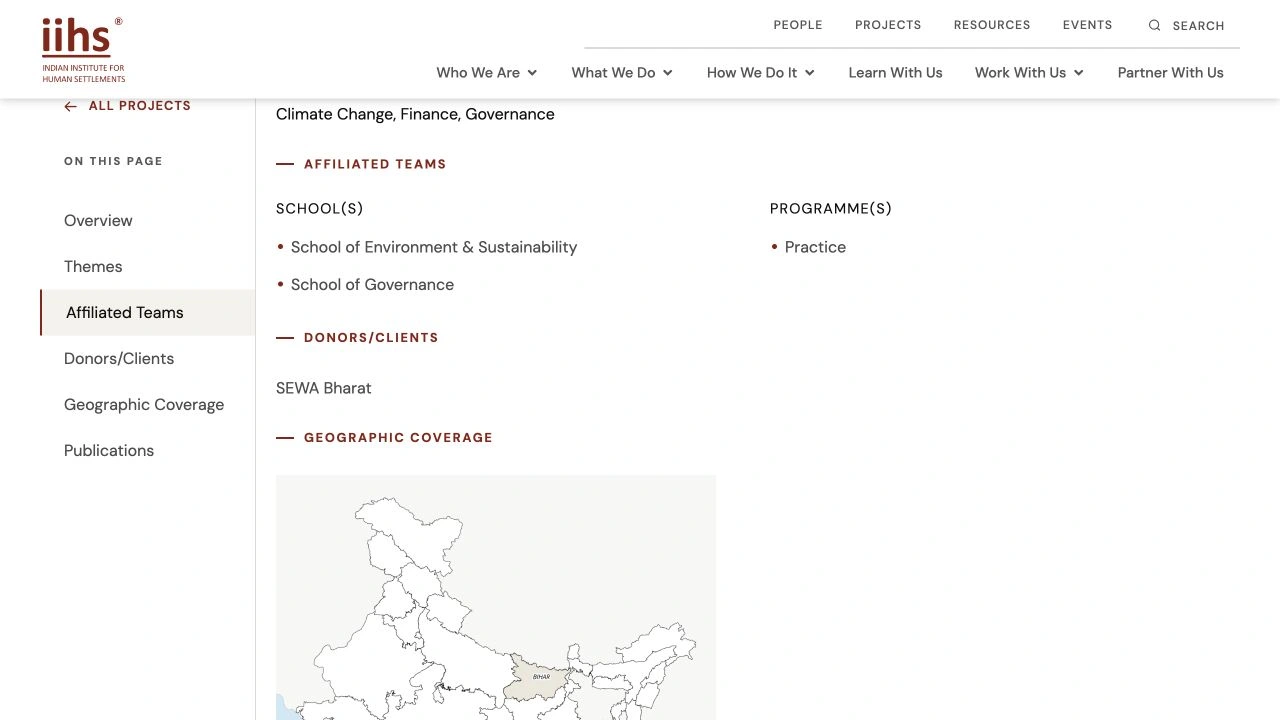
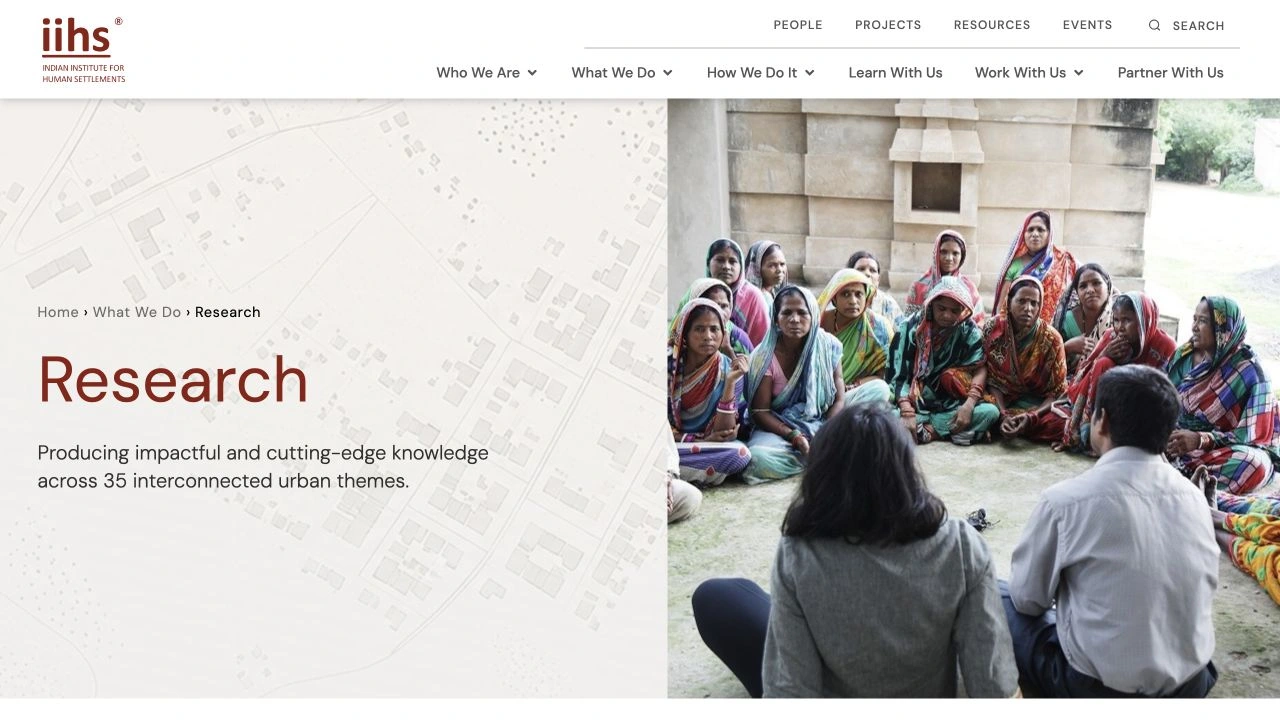
View full size ↗01Design export: heading and IIHS-supplied photography introduce the Board & Founding Members. The live page adds a map treatment.View full size ↗02Design export: institutional text sits beside media and compact figures. The live page now uses a carousel.View full size ↗03A repeated portrait, name and role format gives the directory a consistent card treatment.View full size ↗04Navigation design export: grouping the institution’s destinations.View full size ↗05Current live Research page excerpt; content and imagery supplied by IIHS.View full size ↗06Current live project-page excerpt: applying the shared page language to detailed content.
The design challenge
Consistency needed room to flex
An institutional introduction, a people directory and a project record each ask for a different reading experience. Typography, spacing, layout and supplied imagery became the common elements, while the page structure changed to suit the content.
Approximate project scope · Main-page templates developed by the team.
Hero families
Let the content shape the opening
The hero family varies the balance of title, introduction, imagery and supporting facts. A profile brings a portrait and role together; a project introduces its setting and timeframe. Shared breadcrumbs, typography and spacing connect those variations.
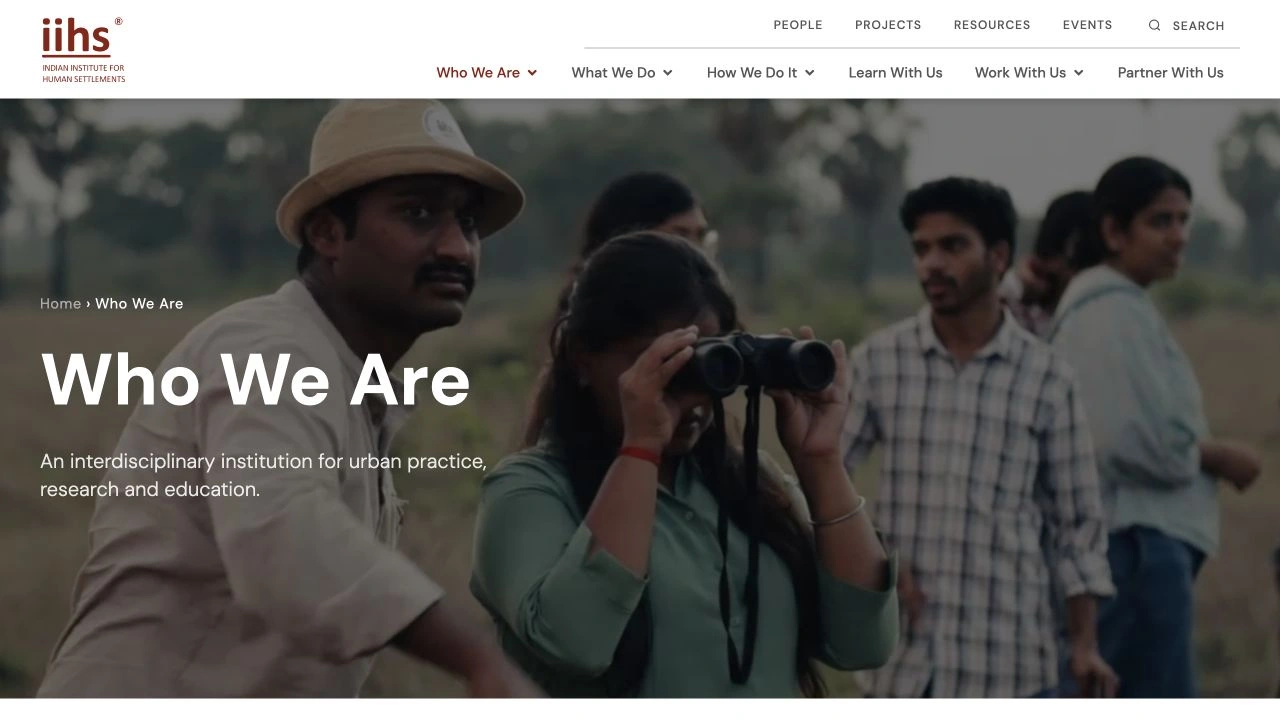
What the opening needs to communicateIntroduce the institution through its people and activity.
A full-width moving image places the short title and introduction over a shared scene. The darker overlay keeps the words legible while the image carries the atmosphere.
Current live Research page; maps and photographs supplied by IIHS. See live page ↗
Programme / Current live reference
Research
What the opening needs to communicateExplain a broad field of work before visitors enter its detail.
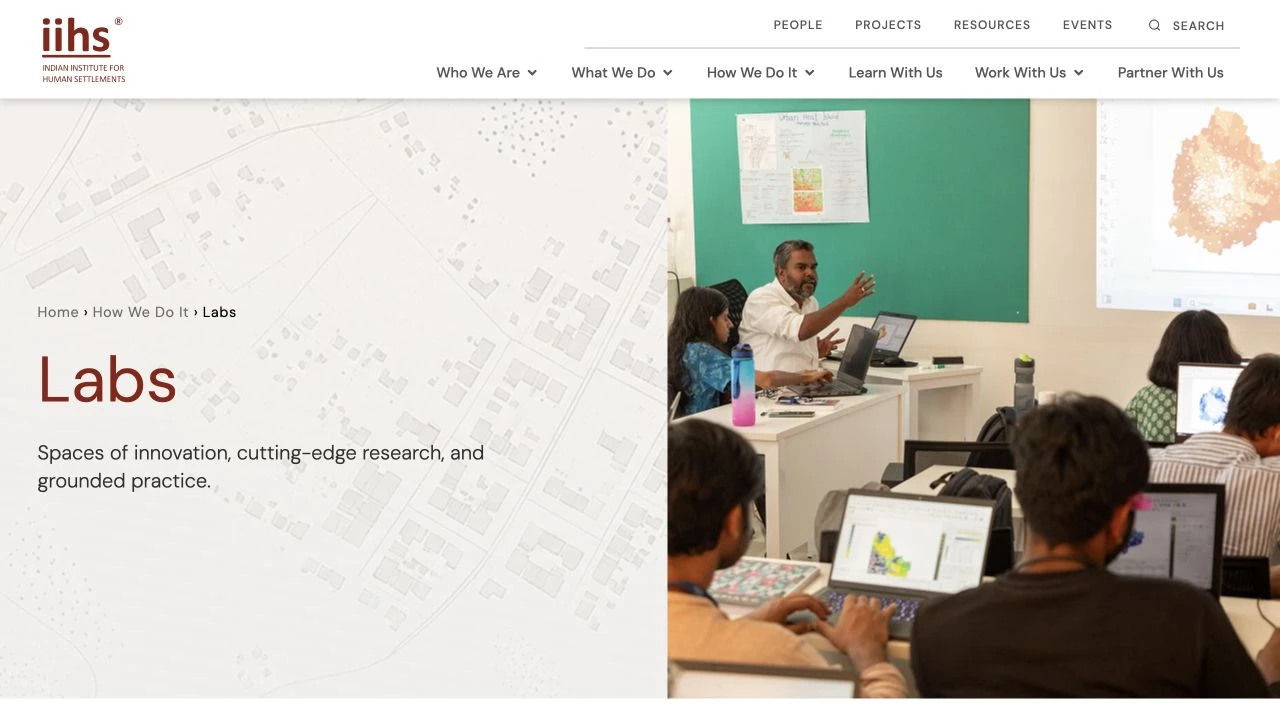
A map-backed text panel gives the title and short explanation a quiet reading area. Field photography occupies the other half, connecting the programme to a visible setting. The same family appears on school and lab introductions.
What the opening needs to communicateIdentify one person and their role, then move into the biography.
The shorter neutral opening keeps the portrait, name and role together. It releases space for the content below: biography, affiliations and contact information. A profile needs a different emphasis from a broad institutional introduction.
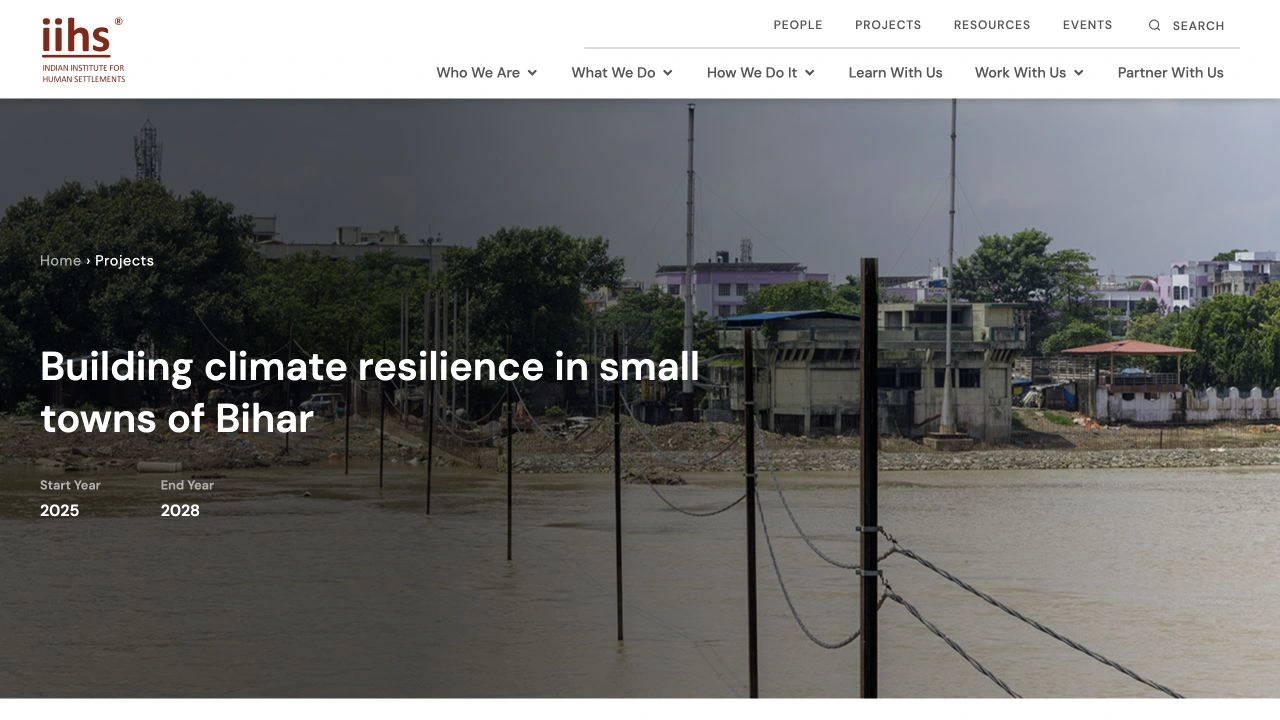
Current live project page; dates describe the IIHS project. See live page ↗
Project / Current live reference
Climate resilience in Bihar
What the opening needs to communicateIntroduce a specific piece of work, its setting and its timeframe.
The photograph provides geographic context while the title names the work. Start and end years sit inside the opening, making project facts visible before the longer explanation and related information.
Maps & motion
Make space for a changing direction
The initial visual direction combined Tetris-like shapes with IIHS-supplied contour maps. When the client introduced video, some graphic elements were removed to make room. The comparisons show the map-backed and video treatments, alongside a labelled transition replay.
A map carries the institution’s connection to settlements without demanding the whole opening. Its pale treatment creates a calm surface for the title and short introduction, while the photograph establishes the setting. Here the map supports identity; it is not a data visualisation.
How We Do It · Live hero shown in the poster; play to view its background footage. See live page ↗
Video / Activity and setting
Let the work be seen in motion
The institutional introduction can communicate through activity as well as words. Footage gives people, spaces and work a presence in the opening. On the live page, a dark overlay holds the title and introduction in a consistent reading position as the footage changes.
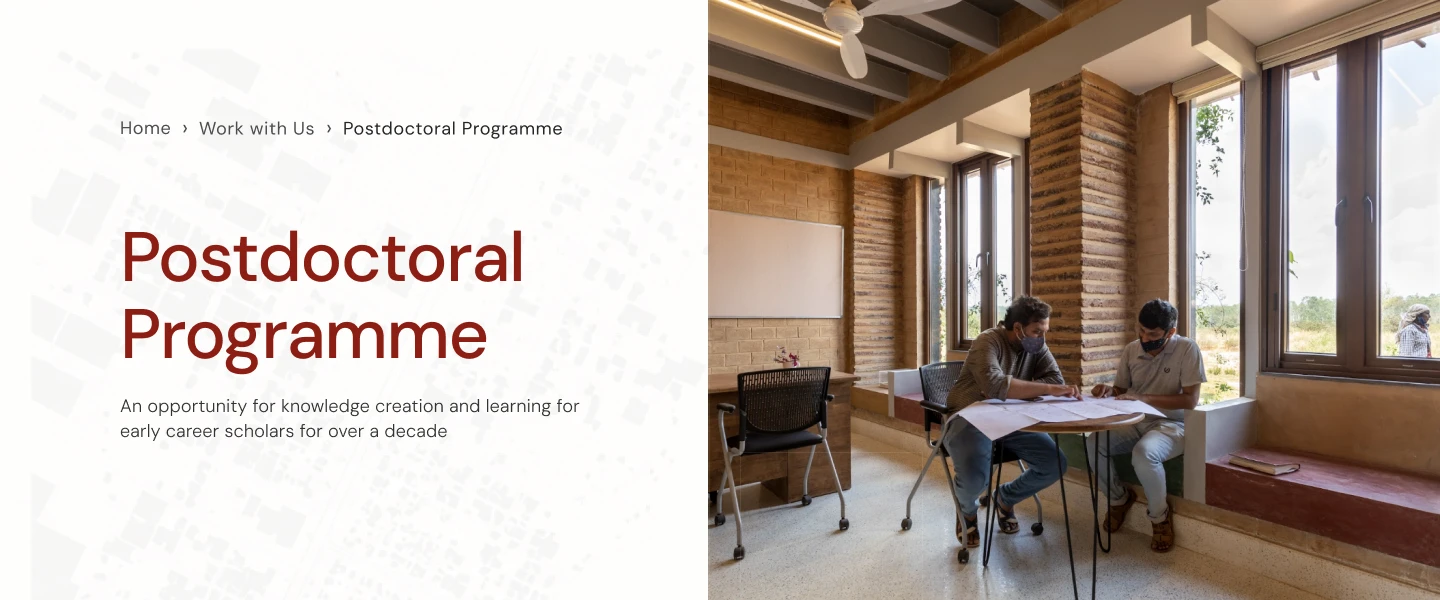
Postdoctoral Programme · Original design reference with a fade replay for this case study.
Fade in / out / Transition replay
Change the image, keep the reading position
A soft fade gives imagery a different pace from continuous footage. This replay isolates the photographic area, keeping the map, title and introduction still. It illustrates the fade treatment used in the project; the current live transition is not reproduced here.
People browsing
Move from a collection to a person
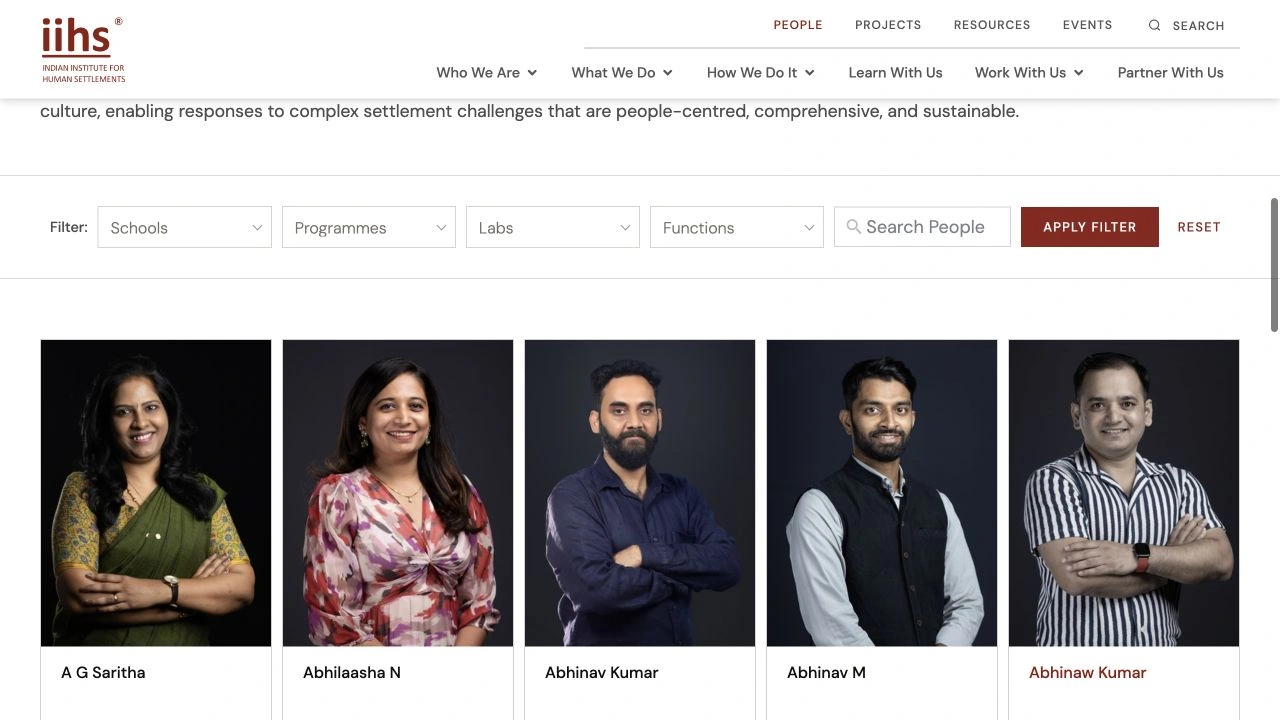
Search, filters and repeated portrait-and-name cards structure the People directory. Opening a profile changes the emphasis to one person’s portrait, role and biography. The common visual language connects browsing the collection with reading an individual entry.
Current live People directory: search and filters sit beside a repeatable portrait-and-name grid.
School destinations
Give different schools equal footing
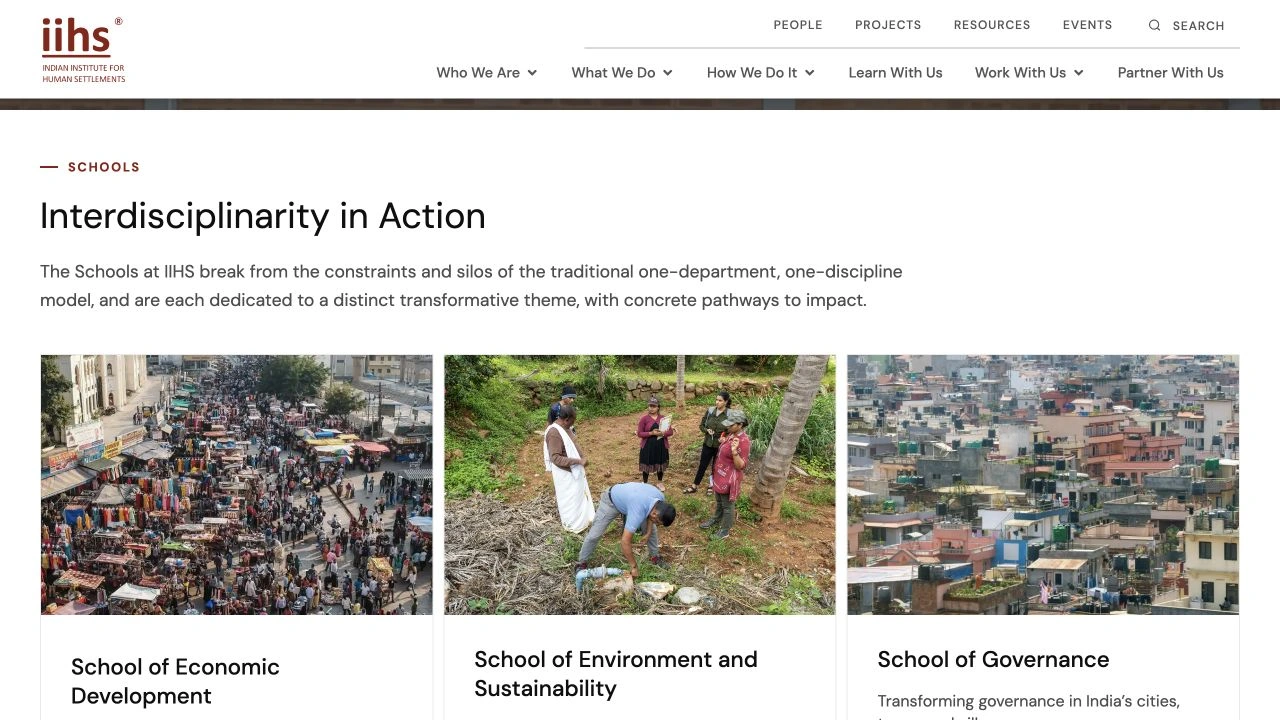
Each school card brings an image, name and short explanation into the same arrangement. Repeating those relationships gives different subjects a consistent entry point into their detail pages.
Current live Schools overview: repeated cards give each theme a recognisable route into its detail page.
Maps & photography
Build with the institution’s own material
IIHS supplied the maps and photography. My work composed them with the content: maps supported introductions and geographic context, while photographs established settings and introduced people. Their placement and treatment made the shared language specific to IIHS.
Design export: longer institutional text sits beside media and compact figures. The current live page uses a carousel.
Across the website
A foundation the team could extend
The team developed templates for around 80 main pages, which developers extended across the approximately 300-page website. My contribution was visual design and template application. The current homepage differs from my design; the exhibits distinguish design exports, live references and a transition replay.